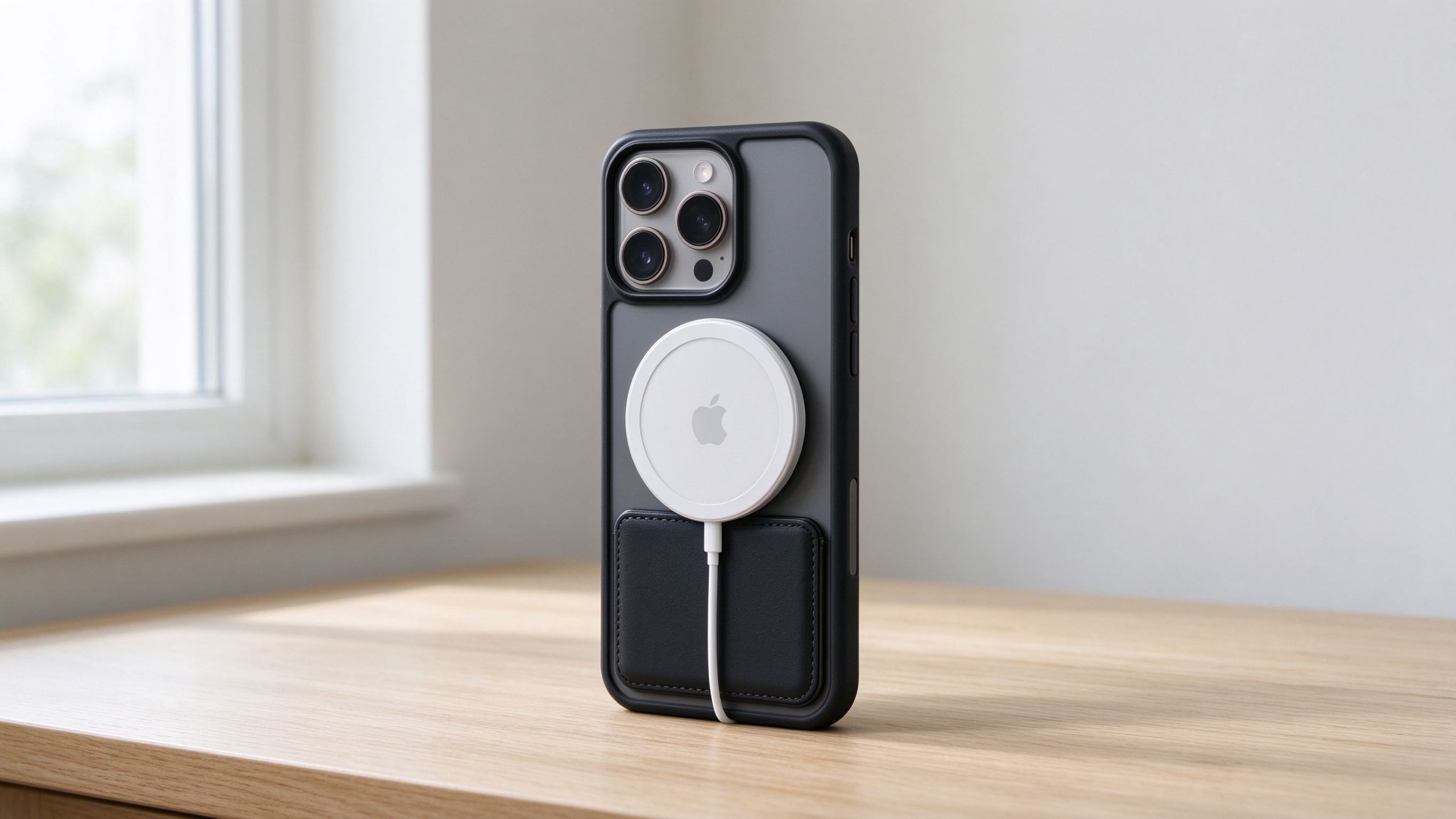
If you’ve bought an iPhone in the last few years, you’ve probably seen that little ring of magnets inside the back. Apple calls it MagSafe, and they want you to buy into the whole ecosystem — chargers, wallets, car mounts, battery packs.
I was skeptical at first. It seemed like just another way to get people to spend more money on Apple accessories. So I dug into what real users are saying, tested a few popular options, and put together this honest breakdown — no sponsored nonsense, just what it’s actually like day to day.
What Is MagSafe, Exactly?
MagSafe is a ring of magnets built into the back of every iPhone 12 and newer. It lines up with compatible accessories — a charger puck, a wallet, a battery pack — and snaps them into place automatically.
The idea is simple: instead of fumbling to align a wireless charger or slipping a card into a flimsy slot, things just click. Apple built in a specific magnet arrangement so accessories know exactly where they are, and they charge at full speed instead of the slower wireless charging you get with random Qi pads.
How Does MagSafe Actually Work?

Under the glass back of your iPhone, there’s a circular array of magnets arranged in a ring. When you bring a MagSafe charger near, the magnets pull it into perfect alignment — you don’t have to aim it like you do with regular wireless charging.
That alignment matters because the charging coil inside has to line up with the coil in the phone for full-speed charging. With regular Qi chargers, if you’re off by even a little, you drop to slower speeds. With MagSafe, the magnets guarantee perfect alignment every time, so you get the fastest charging your iPhone supports (up to 15W with Apple’s official charger).
There’s also a second set of magnets that talks to accessories using NFC, so the phone knows what you attached — whether it’s a wallet, a battery pack, or a charger.
The Pros: What Makes MagSafe Actually Good
Charging in the dark without waking up
This sounds small, but it’s the thing people notice most. Before MagSafe, you’d wake up at 3 a.m. to grab your phone, fumble in the dark trying to find the charging cable, and end up turning on a light just to plug it in. That light kills your sleep rhythm.
With MagSafe, you just hold the charger puck near the back of the phone and it snaps on. No lights, no fumbling. You can do it half-asleep.
Your phone stays where you put it
A lot of people like keeping their phone propped up on the nightstand so they can see notifications without picking it up. Before, it’d slide off or you’d have to prop it against something. With a MagSafe stand, it clicks into place and stays there.
There’s something weirdly reassuring about being able to glance over and see your screen at night. I know it sounds silly, but it’s the kind of small thing that makes a difference every single day.
Battery packs that don’t need cables
This is the sleeper hit. I used to carry a power bank everywhere, and half the time I’d bring it but forget the cable. Useless.
With a MagSafe battery pack, you just slap it on the back. No cable needed. And if you get a thin one, it doesn’t get in the way when you’re using the phone — you can charge and scroll at the same time without sitting next to a wall outlet.
If you’re glued to your phone all day (and let’s be real, most of us are), being able to top up wherever you are, without hunting for an outlet, is genuinely useful.
Wallets and car mounts that just work
The wallet is basic — it holds 2-3 cards, snaps on the back of your phone. No more digging through pockets.
But the car mount is where MagSafe really shines. Once you set your mount angle the way you like it, you just snap your phone on every time. No more adjusting it every single drive. You get in the car, it’s there, it’s positioned right. Done.
The Cons: What Makes MagSafe Frustrating
It’s expensive
This is the obvious one. Apple’s own MagSafe charger is $39. A MagSafe case is another $50-60. A wallet is $59. A battery pack is $99. It adds up fast.
And here’s the thing — you don’t need all of it. The charger alone is fine. But Apple designed it so you’ll want the whole ecosystem.
Thick or heavy accessories don’t stay on
Here’s a real problem: if you buy a heavier MagSafe battery pack or a thick wallet, the magnet can struggle. Pick up the phone a certain way, move it around, and it’ll pop off.
The magnet is strong enough for thin, light accessories. But a bulky 10,000mAh battery pack? It’s not glued on. You’ll feel it shifting. Move your phone a little too fast and it disconnects — charging stops mid-way.
It gets warm
Wireless charging generates heat, and MagSafe is no exception. When you’re charging fast, the phone and the puck get noticeably warm. If you’re using the phone while charging (navigation in the car, for example), it’ll get hotter.
It’s not dangerous — Apple throttles charging if it gets too hot. But it’s slower than plugging in, and you’ll feel it on your hands.
Quick tip: if you charge near an open window or a fan, the heat dissipates faster and it doesn’t get as hot.
The accessories lock you into the ecosystem
This is the Apple tax. If you buy a MagSafe wallet from a third party, it might not snap on as strong. If you want a battery pack that charges at full speed, you’re basically looking at Apple or a handful of certified brands.
It’s not a dealbreaker, but it’s annoying that a $15 generic wireless charger works with any phone, while MagSafe accessories cost more and don’t play well with non-MagSafe gear.
Do You Actually Need a MagSafe Case?
Short answer: no, but it helps.
If you have an iPhone 12 or newer, the magnets are built into the phone itself. You can use a MagSafe charger with no case at all, or with any thin case.
But here’s the catch: thick rugged cases (like OtterBox-style) break the magnetic connection. The magnets can’t reach through 3mm of rubber. So if you have a heavy-duty case, you either need to take it off every time you charge, or get a case with built-in MagSafe magnets.
A MagSafe case adds a thin magnet ring to the case itself, so you keep the strong snap-on feel even with a protective case. It’s not essential, but if you use MagSafe accessories regularly, it makes the experience way better.
MagSafe vs. Regular Case: What’s the Difference?

People ask this all the time. Let’s break it down:
The tradeoff is simple: MagSafe cases cost a bit more and are slightly thicker, but they unlock the whole accessory ecosystem. If you just want basic protection and don’t care about magnetic accessories, a regular case is fine.
The Cheap Alternative: You Don’t Have to Buy MagSafe
Here’s a secret nobody tells you: if you don’t want to spend $50 on a MagSafe case, there’s a cheap workaround.
You can get silicone suction pads (the kind with those little grippy dots on both sides) and stick one to the back of your phone case. Then you can press your phone onto any smooth surface — a bathroom mirror, kitchen tile, a glass shower door. It holds your phone hands-free while you follow a recipe or take a video call.
It’s not the same as MagSafe, and it won’t charge your phone. But if you just want to stick your phone on a wall sometimes, it works and costs almost nothing.
Who Should Skip MagSafe?
Let’s be real — MagSafe isn’t for everyone.
Skip it if:
- You always plug in with a cable and don’t care about wireless charging
- You use a super thick rugged case and don’t want to switch
- You hate spending money on Apple accessories
- You already have a wireless charger that works fine for you
MagSafe is a convenience upgrade, not a necessity. If you’re happy with how you charge your phone now, there’s no urgent reason to change.
Who Should Buy Into MagSafe?
On the other hand, if any of these sound like you, it’s worth it:
- You hate fumbling with charging cables in the dark
- You’re always on your phone and need to top up without an outlet
- You use your phone for navigation in the car
- You want a simple way to carry 2-3 cards without a wallet
- You like the idea of snapping your phone on a stand and having it just work
It’s the small daily conveniences that add up. After a few weeks, you stop noticing the magnets and start noticing how annoying regular charging used to be.
Our Top Picks: What Actually Works
I tested a few popular options to see what’s worth buying and what’s not. Here are the honest picks — including the complaints real people have.
Best Budget MagSafe Case: Spigen Thin Fit MagFit

Price: $21.99 | Rating: 4.5 stars (3,081 reviews) | ASIN: B0FD29X7T8
This is the one I’d recommend if you want a thin, basic MagSafe case without spending Apple money. It’s slim, fits well, and adds the magnet ring you need.
The catch: Some reviewers say the magnetic strength is weaker than Apple’s official case. If you’re using heavy accessories, it might not hold as firmly. Also, a few people said the paint chips after a few months of use.
Best Case With a Stand: ESR Classic Hybrid with Flex Stand

Price: $32.99 | Rating: 4.4 stars (37,978 reviews) | ASIN: B0FCY8WNZJ
ESR has a ton of reviews for a reason — this case comes with a built-in kickstand, which is great for propping your phone up to watch videos.
The catch: The stand is the weak point. Multiple reviewers said the hinge breaks after 6-8 months of regular use. Also, the clear version yellows after about 6 months, and some people say it’s slippery to hold.
Best Wallet (If You Don’t Mind the Price): Apple FineWoven Wallet with MagSafe

Price: $59.00 | Rating: 3.6 stars (449 reviews) | ASIN: B0HJB2PN4W
Apple’s official wallet snaps on perfectly and works with Find My. It’s the most polished option.
The catch: The 3.6 star rating says it all. People complain that it gets dirty easily and looks worn fast. The magnet is weak — cards can slip out. And it cracks after 2-6 months. For $59, that’s rough. You’re paying for the Apple logo and Find My integration, not the build quality.
Best Car Mount: ANDERY Foldable MagSafe Car Mount

Price: $19.99 | Rating: 4.3 stars (31,113 reviews) | ASIN: B0DN1S1YLV
This is the best value car mount I found. It’s cheap, it holds your phone securely, and it folds flat when not in use.
The catch: The adhesive leaves residue on your dashboard in hot weather. On bumpy roads, the phone wobbles a bit. And the plastic hinge can break after a few months.
Final Verdict: Is MagSafe Worth It?
Here’s my honest take: MagSafe is worth it if you use even one or two accessories regularly.
You don’t need the whole ecosystem. Start with a charger and a case. If you find yourself loving the snap-on convenience, add a car mount or a battery pack later.
It’s not life-changing. It’s not a must-have. But it’s the kind of small daily convenience that makes you wonder how you lived without it after a few weeks.
If you’re on the fence, buy the cheapest MagSafe case you can find (like the Spigen one above) and try it for a month. If you don’t use the magnets, return it.
Frequently Asked Questions
Does MagSafe work through a case?
Yes, as long as the case is thinner than about 2mm and not metal. Thick rugged cases (over 3mm) will block the magnets. If you have a heavy-duty case, look for one with built-in MagSafe magnets.
Is MagSafe faster than regular wireless charging?
Yes. MagSafe charges at faster speeds (up to 15W with Apple’s official charger) because the magnets guarantee perfect coil alignment. Regular Qi charging typically drops to 7.5W or lower if the coils aren’t perfectly aligned.
Does MagSafe damage the battery?
No more than any other wireless charging. It generates some heat, which is normal. Apple throttles charging speed if the phone gets too hot to protect the battery.
Can I use MagSafe with an Android phone?
No, MagSafe is Apple’s proprietary system built into iPhone 12 and newer. Android phones have wireless charging but not the magnetic alignment system.
Do I need a special case for MagSafe?
No. The magnets are built into the phone itself. A thin regular case works fine. But a MagSafe case adds extra magnets for stronger attachment, which is helpful if you use wallets or battery packs.
How much does MagSafe cost to set up?
You can get started for $25-40: a third-party MagSafe case ($20-30) and a basic MagSafe charger ($15-20). Apple’s official setup costs more like $100+ for case + charger + wallet.