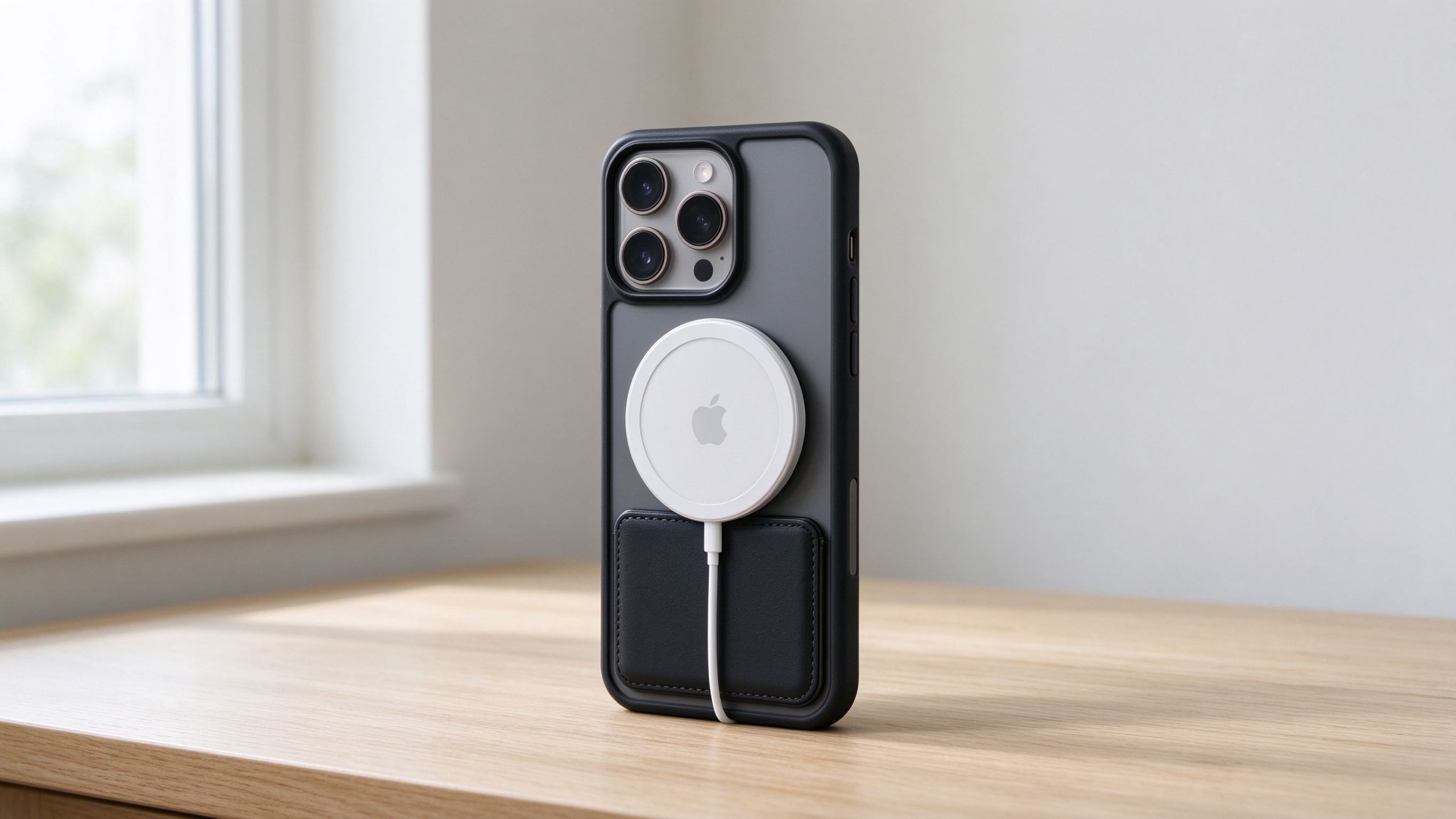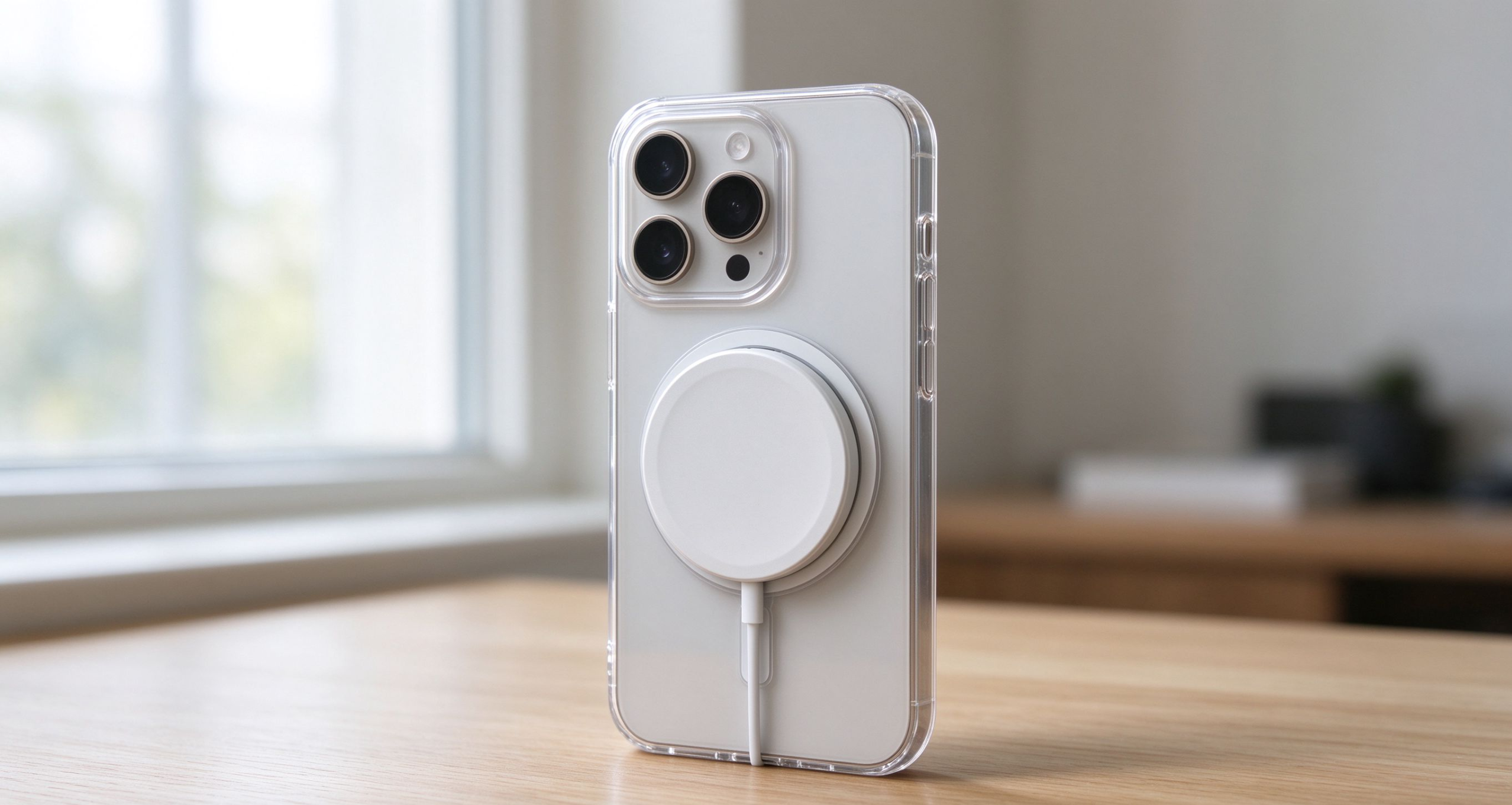

Yes, MagSafe works through a phone case — but how well it works depends on how thick your case is and what it’s made of.
If you have a thin, regular case (under about 2mm), MagSafe will charge your phone just fine. The magnets might feel a little weaker than they do with no case on, but the charger will still snap into place and charge at normal speed.
The problems start when your case gets thicker or made of the wrong stuff. A bulky rugged case like an OtterBox Defender? The magnets probably won’t reach through, and the charger won’t stay on. A case with a metal plate inside? That blocks the magnetic field completely.
I get asked this all the time: “I just bought a new case, will my MagSafe charger still work?” The answer isn’t a simple yes or no — it depends on what you bought. Let me break down exactly which cases work, which don’t, and what to do if your case is too thick.
How MagSafe Works Through a Case

To understand why some cases work and others don’t, you need to know how MagSafe actually works under the hood.
Inside your iPhone, there’s a ring of magnets positioned around the charging coil. When you bring a MagSafe charger near, those magnets pull the charger into perfect alignment — the coil in the phone lines up exactly with the coil in the puck, and charging starts at full speed.
Now, when you put a case on, you’re adding a layer of material between the phone’s magnets and the charger’s magnets. It’s like standing further away from someone — the farther apart you are, the weaker the connection.
With a thin case (1-2mm), the distance is small enough that the magnets still pull hard enough to snap the charger on. You might feel it click slightly less firmly, but it still works.
Add more thickness — say 3mm, 4mm, or more — and the magnets can’t reach. The charger might sit on the back of the phone, but it won’t snap into place. Worse, even if it does stay on, the charging coils might not line up perfectly, so you end up charging slower or not at all.
That’s why the official MagSafe cases have their own built-in magnet ring — it extends the phone’s magnets right through the case, so you get that strong snap-on feel no matter how thick the case is.
The Thickness Limit: How Thick Is Too Thick?

Okay, so what’s the actual cutoff? At what point does a case go from “works fine” to “MagSafe gives up”?
Based on what I’ve seen from real user reports and manufacturer specs, the magic number is around 3mm.
- Under 2mm: No problems at all. The magnets snap on strong, charging works at full speed. Most thin cases and Apple’s own silicone/clear cases fall in this range.
- 2mm to 3mm: Still works, but you’ll notice the magnet feels weaker. The charger might pop off if you bump the phone a little too hard. Charging speed should still be fine, just the snap-on feel isn’t as firm.
- 3mm to 5mm: This is the gray area. Some cases in this range still work, some don’t. It depends on the material — TPU and plastic let magnetic fields through better than thick rubber. You might get weak charging or the charger falling off constantly.
- Over 5mm: Almost certainly won’t work. The magnets can’t reach through that much material. You’ll be taking your case off every time you want to charge.
Here’s a quick way to test: put your phone in the case, hold the MagSafe charger near the back, and see if it snaps on. If you feel that firm “click,” you’re good. If it just sits there loosely or falls off immediately, your case is too thick.
And remember — thickness isn’t the only factor. The material matters too, which we’ll get into next.
Thin / Clear Cases: Works Perfectly
If you have a thin case or a clear case, you’re in the clear — MagSafe will work just fine.
Most thin cases are around 1mm to 1.5mm thick. That’s well under the 2mm threshold, so the magnets have no trouble reaching through. You’ll get that satisfying snap-on feel, and charging works at full speed.
Clear cases are usually made of TPU or hard plastic, which both let magnetic fields pass through easily. You don’t lose any charging speed, and the wallet, car mount, and battery pack all attach normally.
One thing to watch out for: some cheap clear cases have a metal ring or a decorative metal plate on the back (for grip or for magnetic car mounts). If your clear case has any metal on it, that’s going to block MagSafe. But 99% of plain clear cases don’t have this — it’s only the ones marketed as “magnetic ready” or with built-in metal plates that cause problems.
If you bought a cheap $10 clear case from Amazon or somewhere, you can pretty much guarantee MagSafe will work through it. The only exception is if the case is weirdly thick — but most budget clear cases are thin.
The bottom line: if your case feels thin and flexible when you hold it, MagSafe is going to work. No surprises here.
Silicone Cases: Works, But the Magnet Feels Weaker
Silicone cases are where things get a little tricky.
If you have an Apple silicone case or any soft silicone case, MagSafe will still charge your phone — but you might notice the magnet doesn’t feel as strong as it does with a plastic case.
Why? Silicone is softer and slightly thicker than hard plastic. It also has a little more “give” — when the charger snaps on, the silicone compresses a tiny bit, which means the magnets aren’t sitting as close together as they would on a hard shell.
The result: the charger still charges fine, but it feels less “locked in.” If you pull the phone off a car mount, for example, the charger might come off with the phone instead of staying on the mount. Same thing with a wallet — it might slide around a little more.
The good news: charging speed isn’t really affected. The coils still line up, electricity still flows, your phone still charges. You just lose a bit of that firm snap-on confidence.
If you really want the strongest magnetic feel with a silicone case, you have two options:
- Buy an official Apple MagSafe silicone case (it has built-in magnets that extend right through the silicone)
- Stick a third-party magnetic ring on the outside of your case
For most people, the slightly weaker magnet on a regular silicone case isn’t a dealbreaker. It still works — it just feels a little looser.
Rugged Cases Like OtterBox: Probably Not
Okay, let’s talk about the big one: rugged protective cases. If you have something like an OtterBox Defender, Symmetry, or Commuter, you’ve probably already noticed that MagSafe doesn’t work great.
Here’s the thing: rugged cases are built for drop protection, not for thinness. A typical OtterBox Defender is 4-5mm thick — way past the 3mm cutoff we talked about earlier. The magnets inside your iPhone simply can’t reach through that much material.
What happens in practice: you try to snap the MagSafe charger on, and it kind of sticks for a second, but then falls off. Or it stays on loosely, but charging is super slow because the coils aren’t aligned.
The good news: OtterBox and other rugged case brands now make MagSafe-compatible versions of their popular cases. These have a built-in magnet ring inside the case itself, so you get the strong snap-on feel even with the thick, rugged design.
But here’s the catch: the regular (non-MagSafe) versions of OtterBox cases? MagSafe basically doesn’t work. You’ll either need to:
- Buy the MagSafe version of the case (usually $10-15 more expensive)
- Stick an external magnetic ring on the back of your existing case
- Take the case off every time you want to charge wirelessly
If you’re someone who drops your phone a lot and needs a rugged case, the MagSafe-compatible version is worth the extra money. Otherwise you’ll be frustrated every single time you try to charge.
Leather Cases: Weak Magnet, Slower Charging
Leather cases are another one where MagSafe works, but not great.
Most leather cases are around 2-3mm thick — right in that gray area we talked about. The leather itself isn’t super thick, but the layers underneath (the frame, the lining, the adhesive) add up.
What you’ll notice: the charger snaps on, but it feels weak. If you pick up your phone by the charger, the phone might slide off. Car mounts and wallets feel less secure too — like they could fall off if you hit a bump.
Charging speed also takes a small hit. Leather isn’t as transparent to magnetic fields as plastic or TPU. Most people won’t notice the difference day to day, but if you put a speed meter on it, you’re probably looking at 10-15% slower charging than you’d get with a thin plastic case.
The other thing about leather cases: over time, the leather stretches and wears in. The more broken-in the case gets, the looser the magnet feels. It’s not a huge problem, but it’s something to keep in mind if you drop a lot of money on a nice leather case.
If you love the look and feel of leather, it’s still worth it — just know that MagSafe won’t feel as tight as it does on a thin plastic case. And if you’re planning to use a MagSafe wallet or car mount every day, definitely go for a case that has built-in MagSafe magnets.
Metal or Magnetic Plates: Stop Using Them
Here’s where things go from “works but feels weak” to “doesn’t work at all.”
If your case has any metal in it — a metal back, a metal plate, a metal ring — MagSafe is not going to work. At all.
Why? Magnetic fields can’t pass through metal. It’s like trying to see through a brick wall. The magnets inside your iPhone can’t reach the charger, the coils don’t line up, and nothing happens. Worse, if you try to force it, the metal plate heats up because it’s absorbing all that magnetic energy. That’s not just bad for charging — it’s actually a fire risk.
You see this most often with two types of cases:
- Cases with built-in metal plates for car mounts — those thin metal rectangles that stick to the back of your case so you can use a magnetic car mount. If you have one of these, you need to take it off before using MagSafe.
- Metal-backed cases — like aluminum or metal frame cases. These look cool, but they completely block wireless charging of any kind.
The other thing to watch out for: popSockets or other phone grips that have metal bases. If your popsocket is centered right where the MagSafe charger goes, it’s going to block charging.
The rule is simple: if there’s metal between your phone and the MagSafe charger, take it off. Don’t try to work around it — it’s not worth the risk.
Do You Even Need a MagSafe Case?
Here’s the question everyone actually wants to ask: do I need to buy a special MagSafe case, or can I just use my regular case?
Short answer: no, you don’t need a MagSafe case to use MagSafe charging.
Your iPhone already has magnets built into it. If you have a thin, regular case (under 2mm), MagSafe charging will work fine. The charger will snap on, your phone will charge, everything works. You don’t need to run out and buy a new case just for MagSafe.
But here’s what you do get with a MagSafe case:
- Stronger snap-on feel — the built-in magnet ring extends right through the case, so the charger clicks in firmly
- Accessories work better — wallets, car mounts, and battery packs all attach more securely
- No guessing — you know it’s going to work, no matter what
So who needs a MagSafe case?
- If you use a thick case (over 2mm) and want MagSafe to work → yes, buy one
- If you plan to use MagSafe wallets or car mounts every day → yes, worth it
- If you just want wireless charging and have a thin case → no, save your money
Most people fall into the second category. You don’t need to upgrade your whole case setup just for MagSafe. But if you want the full experience — the strong snap, the wallet, the car mount — a MagSafe case makes it all work better.
DIY: Turn Any Case Into a MagSafe Case
Here’s the cheap hack nobody tells you about: you don’t need to buy a $50 MagSafe case to get the magnetic snap-on feel.
You can buy a thin metal magnetic ring online for $5-10, stick it to the back of your existing case, and boom — you’ve got MagSafe.
How it works: these rings are thin, flat metal discs with 3M adhesive on one side. You peel off the backing, center it over your phone’s charging coil (most kits come with an alignment guide), and press it on. That’s it. Now any MagSafe charger, wallet, or car mount will snap onto your case.
The pros:
- Super cheap — way cheaper than buying a whole new MagSafe case
- Works with any case, even thick rugged ones
- Easy to install, no tools needed
The cons:
- No on-screen animation (the ring is just metal, it doesn’t talk to your phone like Apple’s official magnets do)
- The magnet strength depends on the quality of the ring — cheap ones feel weak, better ones are close to official
- If you put it on a silicone or textured case, the adhesive might not stick well long-term
If you have a case you love and don’t want to replace, this is the best way to get MagSafe without spending a lot. Just make sure you center it correctly — if it’s off by even a little, charging speed drops.
Final Verdict: What to Do If Your Case Doesn’t Work
So, putting it all together — what should you actually do if your current case doesn’t play nice with MagSafe?
It depends on your situation:
If you have a thin case and it already works great: Don’t change anything. You’re already getting the benefit of MagSafe without spending extra money. Just keep using what you have.
If you have a mid-thickness case (2-3mm) and the magnet feels weak: Try a $5-10 magnetic ring sticker first. It’s the cheapest fix, and it’ll probably give you the strong snap-on feel you want. No need to buy a whole new case.
If you have a thick rugged case like an OtterBox and MagSafe doesn’t work at all: You’ve got two options. Either buy the MagSafe-compatible version of your case (if one exists), or stick a magnetic ring on the back. The ring is cheaper, but the official MagSafe version feels better.
If you’re buying a new case from scratch: Just buy a MagSafe case. The extra $10-15 is worth it for the strong magnet and the ability to use wallets and car mounts.
And if you’re still on the fence about whether MagSafe is even worth using at all, I broke down the pros and cons in detail here — that might help you decide if it’s worth the hassle.
At the end of the day, MagSafe isn’t for every case. But most people can make it work with either a cheap sticker or a reasonably priced MagSafe case.
Frequently Asked Questions
Is MagSafe slower through a case?
A little, but not much. Thin cases (under 2mm) barely affect charging speed. Thicker cases can slow it down by 10-15% because the coils aren’t perfectly aligned. Metal or magnetic plates will slow it way down or stop charging entirely.
Do I need a special case for MagSafe?
No, you don’t. Your iPhone has built-in magnets that work through thin cases. But if you have a thick case or want stronger magnet feel, a MagSafe case with built-in magnets makes the experience much better.
Can I use MagSafe with any case?
Not any case. Thin plastic and silicone cases work fine. Thick rugged cases (over 3mm) usually block the magnets. Metal-backed cases block it completely. If your case has a metal plate, take it off before using MagSafe.
How thick can a case be for MagSafe?
The sweet spot is under 2mm. Up to 3mm it still works, but the magnet feels weaker. Past 5mm, the magnets can’t reach through at all. Material matters too — plastic works better than thick rubber.
Does MagSafe work with OtterBox?
Only the MagSafe-compatible versions. Regular OtterBox cases are too thick (4-5mm) for the magnets to reach through. Look for the “MagSafe” in the product name, or stick a magnetic ring on the back.
Can I add MagSafe to any case?
Yes, you can. Buy a $5-10 magnetic ring sticker, center it over your phone’s charging coil, and stick it on the back of your case. It won’t trigger the on-screen animation, but chargers and accessories will snap on normally.
Disclosure: This post may contain affiliate links, meaning we may earn a small commission if you buy something through our links, at no extra cost to you. We only recommend products we’ve researched and believe in.